
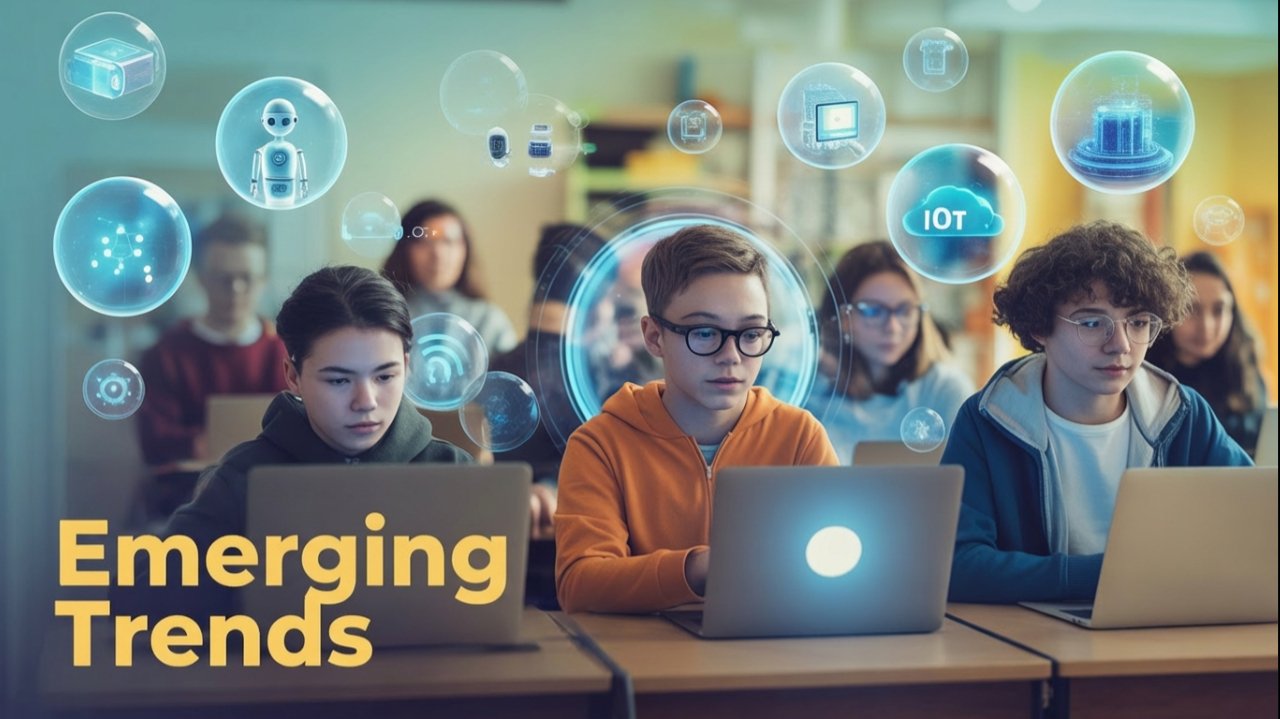
Table of Contents
- Artificial Intelligence (AI)
- Machine Learning (ML)
- Natural Language Processing (NLP)
- Immersive Experience (AR & VR)
- Robotics
- Big Data and Its Characteristics
- Internet of Things (IoT)
- Sensors
- Smart Cities
- Cloud Computing and Cloud Services
- Grid Computing
- Blockchain Technology
1. Artificial Intelligence (AI)
Definition
Artificial Intelligence is the simulation of human intelligence processes by machines, especially computer systems. These processes include learning, reasoning, problem-solving, perception, and language understanding.
Key Concepts
- Intelligence: The ability to acquire and apply knowledge and skills
- AI Goal: To create systems that can function intelligently and independently
Types of AI
- Narrow AI (Weak AI): Designed for specific tasks (e.g., voice assistants like Siri, Alexa)
- General AI (Strong AI): Possesses human-like intelligence across various domains (theoretical)
- Super AI: Surpasses human intelligence (hypothetical)
Applications of AI
- Virtual personal assistants (Siri, Google Assistant, Alexa)
- Recommendation systems (Netflix, Amazon, YouTube)
- Image and facial recognition
- Chatbots and customer service
- Medical diagnosis and healthcare
- Autonomous vehicles
- Gaming (Chess, Go AI)
- Fraud detection in banking
Advantages
- Reduces human error
- Available 24/7 without breaks
- Faster decision-making
- Can perform repetitive tasks efficiently
- Handles dangerous tasks
Disadvantages
- High implementation cost
- Lack of creativity and emotional intelligence
- Potential job displacement
- Ethical and privacy concerns
- Dependency on technology
2. Machine Learning (ML)
Definition
Machine Learning is a subset of AI that enables systems to learn and improve from experience without being explicitly programmed. It focuses on developing computer programs that can access data and learn from it.
How ML Works
- Data Collection: Gathering relevant data
- Data Preparation: Cleaning and organizing data
- Training: Teaching the model using algorithms
- Testing: Evaluating model performance
- Deployment: Implementing the trained model
Types of Machine Learning
1. Supervised Learning
- Learning with labeled data
- Algorithm learns mapping from input to output
- Examples: Email spam detection, weather forecasting, stock price prediction
2. Unsupervised Learning
- Learning with unlabeled data
- Algorithm finds patterns and relationships
- Examples: Customer segmentation, anomaly detection, recommendation systems
3. Reinforcement Learning
- Learning through trial and error
- Agent learns to make decisions through rewards and penalties
- Examples: Game playing (AlphaGo), robotics, self-driving cars
Applications of ML
- Email spam filtering
- Medical diagnosis
- Speech recognition
- Product recommendations
- Credit card fraud detection
- Stock market analysis
- Face recognition
- Virtual assistants
Difference Between AI and ML
| Aspect | Artificial Intelligence | Machine Learning |
|---|---|---|
| Scope | Broader concept | Subset of AI |
| Goal | Simulate human intelligence | Learn from data |
| Output | Intelligent behavior | Accurate predictions |
| Approach | Uses knowledge and rules | Uses statistical models |
3. Natural Language Processing (NLP)
Definition
Natural Language Processing is a branch of AI that helps computers understand, interpret, and manipulate human language. It bridges the gap between human communication and computer understanding.
Components of NLP
- Natural Language Understanding (NLU): Understanding meaning and context
- Natural Language Generation (NLG): Generating human-readable text
Key Processes in NLP
- Tokenization: Breaking text into words or sentences
- Stemming: Reducing words to root form
- Lemmatization: Converting words to base form
- Part-of-Speech Tagging: Identifying grammatical roles
- Named Entity Recognition: Identifying names, places, organizations
- Sentiment Analysis: Determining emotional tone
Applications of NLP
- Language translation (Google Translate)
- Chatbots and virtual assistants
- Voice-operated systems (Siri, Alexa)
- Text summarization
- Sentiment analysis (social media monitoring)
- Grammar checkers (Grammarly)
- Email filtering
- Autocomplete and autocorrect
Examples in Daily Life
- Google Search understanding queries
- Spam email detection
- Smart replies in Gmail
- Voice typing
- Automated customer support
Challenges in NLP
- Ambiguity in language
- Context understanding
- Different languages and dialects
- Sarcasm and humor detection
- Cultural nuances
4. Immersive Experience (AR & VR)
Virtual Reality (VR)
Definition
Virtual Reality is a computer-generated simulation of a three-dimensional environment that can be interacted with using special electronic equipment like headsets and gloves.
Characteristics
- Completely immersive experience
- Replaces real-world environment
- Requires VR headsets (Oculus Rift, HTC Vive)
- 360-degree view
- Interactive environments
Applications of VR
- Gaming and entertainment
- Education and training (flight simulators, medical training)
- Virtual tourism
- Architecture and real estate walkthroughs
- Military training
- Therapy and rehabilitation
- Virtual meetings
Augmented Reality (AR)
Definition
Augmented Reality overlays digital information (images, sounds, text) onto the real-world environment, enhancing what we see, hear, and feel.
Characteristics
- Blends digital with physical world
- Accessible through smartphones and tablets
- Enhances reality rather than replacing it
- Real-time interaction
- 3D registration
Applications of AR
- Pokemon Go (gaming)
- Snapchat filters
- IKEA Place (furniture visualization)
- Google Maps AR navigation
- Education (interactive textbooks)
- Medical procedures (surgery assistance)
- Retail (virtual try-ons)
- Maintenance and repair guidance
Difference Between AR and VR
| Aspect | Virtual Reality | Augmented Reality |
|---|---|---|
| Environment | Completely virtual | Real world enhanced |
| Immersion | Fully immersive | Partially immersive |
| Equipment | VR headsets required | Smartphone/tablet sufficient |
| User Control | Limited real-world interaction | Maintains real-world interaction |
| Cost | Generally expensive | More affordable |
5. Robotics
Definition
Robotics is an interdisciplinary field that involves the design, construction, operation, and use of robots. It combines mechanical engineering, electrical engineering, and computer science.
Components of a Robot
- Sensors: Detect environmental conditions
- Actuators: Enable movement
- Controller: Brain of the robot (processes information)
- Power Supply: Provides energy
- End Effector: Tool at the end (gripper, welding torch)
Types of Robots
- Industrial Robots: Manufacturing and assembly
- Service Robots: Healthcare, cleaning, delivery
- Exploration Robots: Space, underwater exploration
- Military Robots: Bomb disposal, surveillance
- Humanoid Robots: Human-like appearance and behavior
- Autonomous Vehicles: Self-driving cars, drones
Applications of Robotics
- Manufacturing and assembly lines
- Medical surgery (robotic surgery)
- Space exploration (Mars rovers)
- Agriculture (automated harvesting)
- Warehouse automation (Amazon)
- Disaster response and rescue
- Domestic help (vacuum cleaners like Roomba)
- Entertainment and companionship
Advantages
- Precision and accuracy
- Works in dangerous environments
- Consistent performance
- Increases productivity
- 24/7 operation capability
Disadvantages
- High initial cost
- Requires maintenance
- Potential job displacement
- Lacks human judgment
- Dependency on programming
6. Big Data and Its Characteristics
Definition
Big Data refers to extremely large datasets that cannot be processed, stored, or analyzed using traditional data processing tools. It involves massive volumes of structured, semi-structured, and unstructured data.
The 5 V’s of Big Data
1. Volume
- Enormous amount of data generated
- Scale: Terabytes, Petabytes, Exabytes
- Example: Social media generates 500+ terabytes daily
2. Velocity
- Speed at which data is generated and processed
- Real-time or near real-time processing
- Example: Stock market data, sensor data from IoT devices
3. Variety
- Different types and formats of data
- Structured (databases), Semi-structured (XML, JSON), Unstructured (videos, images, text)
- Example: Text, images, videos, sensor data, log files
4. Veracity
- Accuracy and reliability of data
- Data quality and trustworthiness
- Example: Dealing with incomplete or inconsistent data
5. Value
- Usefulness of data for decision-making
- Extracting meaningful insights
- Example: Customer behavior analysis for business strategy
Sources of Big Data
- Social media platforms (Facebook, Twitter, Instagram)
- E-commerce websites (Amazon, Flipkart)
- Sensors and IoT devices
- Healthcare records
- Financial transactions
- Satellite imagery
- Web logs and clickstream data
Applications of Big Data
- Healthcare: Disease prediction, personalized treatment
- Retail: Customer behavior analysis, inventory management
- Banking: Fraud detection, risk assessment
- Transportation: Traffic management, route optimization
- Education: Personalized learning, student performance analysis
- Government: Policy making, crime prevention
- Entertainment: Content recommendation (Netflix, Spotify)
Technologies Used
- Hadoop
- Apache Spark
- NoSQL databases (MongoDB, Cassandra)
- Data mining tools
- Machine learning algorithms
Challenges
- Storage and management
- Data security and privacy
- Data quality issues
- Processing speed requirements
- Skilled workforce shortage
7. Internet of Things (IoT)
Definition
Internet of Things is a network of physical objects (things) embedded with sensors, software, and other technologies that connect and exchange data with other devices and systems over the internet.
Components of IoT
- Sensors/Devices: Collect data from environment
- Connectivity: Internet connection (Wi-Fi, Bluetooth, cellular)
- Data Processing: Analyzing collected data
- User Interface: Display information to users
How IoT Works
- Sensors collect data
- Data transmitted to cloud/server
- Data processed and analyzed
- Action taken or information sent to user
- User can interact with the device
Applications of IoT
1. Smart Home
- Smart thermostats (Nest)
- Smart lighting
- Security cameras
- Smart locks
- Voice assistants
2. Healthcare (IoMT – Internet of Medical Things)
- Wearable fitness trackers
- Remote patient monitoring
- Smart insulin pumps
- Connected inhalers
3. Agriculture
- Soil moisture sensors
- Automated irrigation systems
- Livestock monitoring
- Weather prediction
4. Transportation
- Connected cars
- Traffic management
- Fleet tracking
- Smart parking systems
5. Industrial IoT (IIoT)
- Predictive maintenance
- Supply chain optimization
- Quality control
- Energy management
Advantages
- Automation and control
- Improved efficiency
- Better monitoring
- Cost savings
- Enhanced decision-making
- Improved quality of life
Disadvantages
- Security and privacy risks
- Complexity in setup
- Compatibility issues
- Dependence on internet connectivity
- High initial costs
Security Concerns
- Data privacy breaches
- Unauthorized access
- Hacking of devices
- Data theft
- Need for encryption and authentication
8. Sensors
Definition
A sensor is a device that detects and responds to physical input from the environment and converts it into a signal that can be read by an observer or an instrument.
Types of Sensors
1. Temperature Sensors
- Measure temperature
- Examples: Thermocouples, thermistors
- Uses: Air conditioners, refrigerators, weather stations
2. Proximity Sensors
- Detect presence of nearby objects
- Examples: Infrared sensors, ultrasonic sensors
- Uses: Automatic doors, parking sensors, smartphones
3. Motion Sensors (PIR – Passive Infrared)
- Detect movement
- Uses: Security systems, automatic lighting, gaming consoles
4. Light Sensors (LDR – Light Dependent Resistor)
- Detect light intensity
- Uses: Automatic street lights, camera exposure control
5. Pressure Sensors
- Measure pressure of gases or liquids
- Uses: Weather forecasting, automotive systems
6. Humidity Sensors
- Measure moisture in air
- Uses: Weather stations, greenhouses, HVAC systems
7. Gas Sensors
- Detect presence of gases
- Uses: Smoke detectors, air quality monitors, industrial safety
8. Accelerometer
- Measures acceleration and tilt
- Uses: Smartphones (screen rotation), gaming controllers, fitness trackers
9. Gyroscope
- Measures orientation and angular velocity
- Uses: Drones, smartphones, navigation systems
10. Touch Sensors
- Detect touch or pressure
- Uses: Touchscreens, buttons, security systems
Applications of Sensors
- Smartphones (accelerometer, gyroscope, proximity, light)
- Smart homes (temperature, motion, door/window sensors)
- Automotive (parking sensors, airbag sensors, tire pressure)
- Healthcare (heart rate monitors, glucose sensors)
- Industrial automation (quality control, safety monitoring)
- Environmental monitoring (weather stations, pollution detection)
- Agriculture (soil moisture, temperature monitoring)
Characteristics of Good Sensors
- Accuracy: Provides correct measurements
- Precision: Consistent readings
- Sensitivity: Detects small changes
- Range: Operates within specified limits
- Response Time: Quick reaction to changes
- Reliability: Works consistently over time
9. Smart Cities
Definition
A Smart City uses digital technology, IoT devices, and data analytics to enhance the quality of life for citizens, improve efficiency of urban services, and promote sustainable development.
Key Components of Smart Cities
1. Smart Infrastructure
- Intelligent buildings
- Smart grids for electricity
- Efficient water management
- Waste management systems
2. Smart Transportation
- Intelligent traffic management
- Real-time public transport tracking
- Smart parking systems
- Electric vehicle charging stations
- Connected vehicles
3. Smart Governance
- E-governance services
- Digital citizen services
- Transparent administration
- Online complaint systems
- Digital payment systems
4. Smart Environment
- Air quality monitoring
- Pollution control
- Smart waste collection
- Energy-efficient systems
- Green spaces monitoring
5. Smart Healthcare
- Telemedicine services
- Remote patient monitoring
- Health data analytics
- Emergency response systems
6. Smart Education
- Digital classrooms
- E-learning platforms
- Smart libraries
- Online education portals
Technologies Used in Smart Cities
- Internet of Things (IoT)
- Big Data Analytics
- Artificial Intelligence
- Cloud Computing
- 5G Networks
- Sensors and Actuators
- Geographic Information Systems (GIS)
Examples of Smart Cities
India
- Pune Smart City
- Ahmedabad Smart City
- Bhubaneswar Smart City
- Surat Smart City
International
- Singapore
- Barcelona, Spain
- Dubai, UAE
- Seoul, South Korea
- Amsterdam, Netherlands
Features of Smart Cities
- Efficient public transportation
- Smart street lighting (LED with sensors)
- 24/7 water supply with quality monitoring
- Centralized waste management
- Wi-Fi hotspots
- Integrated Command and Control Centers
- Renewable energy usage
- Digital literacy programs
Advantages
- Improved quality of life
- Efficient resource management
- Reduced traffic congestion
- Better emergency response
- Environmental sustainability
- Economic growth
- Enhanced citizen engagement
- Data-driven decision making
Challenges
- High implementation cost
- Privacy and security concerns
- Digital divide among citizens
- Infrastructure upgrades required
- Maintenance complexity
- Integration of various systems
- Need for skilled workforce
10. Cloud Computing and Cloud Services
Definition
Cloud Computing is the delivery of computing services (servers, storage, databases, networking, software, analytics) over the internet (“the cloud”) to offer faster innovation, flexible resources, and economies of scale.
Characteristics of Cloud Computing
1. On-Demand Self-Service
- Users can access services without human interaction with service provider
2. Broad Network Access
- Available over network via standard devices (laptops, phones, tablets)
3. Resource Pooling
- Provider’s resources serve multiple customers
- Resources assigned dynamically based on demand
4. Rapid Elasticity
- Resources can be scaled up or down quickly
- Appears unlimited to users
5. Measured Service
- Pay-per-use model
- Resource usage monitored and controlled
Types of Cloud Computing
1. Public Cloud
- Services offered over public internet
- Available to anyone who wants to purchase
- Examples: Amazon Web Services (AWS), Microsoft Azure, Google Cloud
- Advantages: Cost-effective, scalable, no maintenance
- Disadvantages: Less control, security concerns
2. Private Cloud
- Exclusive use by single organization
- Can be on-premises or hosted
- Advantages: Greater control, enhanced security, customization
- Disadvantages: Higher cost, requires maintenance
3. Hybrid Cloud
- Combination of public and private clouds
- Data and applications shared between them
- Advantages: Flexibility, cost optimization, security for sensitive data
- Use case: Keep sensitive data in private cloud, less critical in public cloud
4. Community Cloud
- Shared by several organizations with common concerns
- Example: Government agencies, healthcare organizations
Cloud Service Models
1. SaaS (Software as a Service)
Definition: Complete software applications delivered over the internet
Characteristics:
- No installation required
- Accessible via web browser
- Subscription-based pricing
- Automatic updates
- Multi-tenant architecture
Examples:
- Google Workspace (Gmail, Docs, Drive)
- Microsoft 365
- Salesforce
- Zoom
- Dropbox
- Netflix
- Canva
Advantages:
- No installation hassle
- Accessible from anywhere
- Lower upfront costs
- Automatic updates
Disadvantages:
- Limited customization
- Data security concerns
- Requires internet connection
- Vendor dependency
2. PaaS (Platform as a Service)
Definition: Provides platform and environment for developers to build, test, and deploy applications
Characteristics:
- Development tools and frameworks
- Database management systems
- Operating system included
- No infrastructure management needed
Examples:
- Google App Engine
- Microsoft Azure App Service
- Heroku
- AWS Elastic Beanstalk
- OpenShift
Advantages:
- Faster development
- Reduced coding
- Scalability
- Cost-effective
Disadvantages:
- Vendor lock-in
- Limited control
- Security concerns
Use Case: Developers building web or mobile applications
3. IaaS (Infrastructure as a Service)
Definition: Provides virtualized computing resources over the internet
Characteristics:
- Virtual machines
- Storage
- Networks
- Operating systems (user manages)
- Complete control over infrastructure
Examples:
- Amazon EC2
- Microsoft Azure Virtual Machines
- Google Compute Engine
- DigitalOcean
- Linode
Advantages:
- Complete control
- Highly scalable
- Pay-as-you-go
- No physical hardware maintenance
Disadvantages:
- Requires technical expertise
- Security responsibility
- Complex management
Use Case: Companies needing computing infrastructure without buying hardware
Comparison of Service Models
| Feature | SaaS | PaaS | IaaS |
|---|---|---|---|
| Control | Least | Medium | Most |
| Management | Provider | Shared | User |
| Examples | Gmail, Netflix | Google App Engine | AWS EC2 |
| Target Users | End users | Developers | IT administrators |
| Customization | Limited | Moderate | High |
Popular Cloud Service Providers
- Amazon Web Services (AWS): Market leader, comprehensive services
- Microsoft Azure: Enterprise-focused, Windows integration
- Google Cloud Platform: Data analytics, AI/ML capabilities
- IBM Cloud: Enterprise solutions, hybrid cloud
- Oracle Cloud: Database services, business applications
Applications of Cloud Computing
- Data storage and backup
- Email services
- Web hosting
- Software development and testing
- Data analytics and Big Data processing
- Disaster recovery
- Gaming (cloud gaming services)
- Education (e-learning platforms)
Advantages of Cloud Computing
- Cost reduction (no hardware investment)
- Scalability and flexibility
- Accessibility from anywhere
- Automatic software updates
- Disaster recovery
- Environmentally friendly
- Collaboration enabled
- Enhanced security (by providers)
Disadvantages of Cloud Computing
- Requires internet connection
- Security and privacy concerns
- Limited control
- Vendor lock-in
- Downtime possibilities
- Data transfer costs
11. Grid Computing
Definition
Grid Computing is the use of distributed computing resources from multiple locations to achieve a common goal. It connects multiple computers (which may be geographically dispersed) to work together as a virtual supercomputer.
Key Concepts
- Distributed Computing: Multiple computers work on different parts of a problem
- Resource Sharing: Computing power, storage, applications shared across network
- Virtual Organization: Temporary collaboration of resources
- Heterogeneous Systems: Different types of computers and operating systems
How Grid Computing Works
- Large problem divided into smaller tasks
- Tasks distributed to different computers in the grid
- Each computer processes its assigned task
- Results collected and combined
- Final solution presented
Components of Grid Computing
- Grid Middleware: Software that connects different resources
- Resource Manager: Allocates tasks to available resources
- Nodes: Individual computers in the grid
- Network: Connects all components
Types of Grid Computing
1. Computational Grid
- Focus on processing power
- Complex calculations and simulations
- Example: Weather forecasting, drug discovery
2. Data Grid
- Focus on storage and data management
- Handles large datasets
- Example: Scientific research data, genomics
3. Collaboration Grid
- Focus on communication and collaboration
- Enables teamwork
- Example: Research projects, virtual laboratories
Applications of Grid Computing
- Scientific research (CERN’s Large Hadron Collider)
- Weather forecasting and climate modeling
- Drug discovery and molecular modeling
- Financial modeling and risk analysis
- Earthquake simulation
- Protein folding research
- Astrophysics and space research
- 3D rendering for movies
Examples
- SETI@home: Search for extraterrestrial intelligence using home computers
- Folding@home: Protein folding research using distributed computing
- World Community Grid: Humanitarian research projects
- CERN LHC Computing Grid: Particle physics research
Advantages
- Utilizes unused computing resources
- Cost-effective (uses existing infrastructure)
- High processing power for complex problems
- Scalable and flexible
- Fault tolerance (if one node fails, others continue)
- Accelerates research and development
Disadvantages
- Complex setup and management
- Security challenges
- Network dependency
- Coordination overhead
- Software compatibility issues
- Licensing concerns
Grid Computing vs Cloud Computing
| Aspect | Grid Computing | Cloud Computing |
|---|---|---|
| Purpose | Solve specific large problems | Provide general computing services |
| Architecture | Distributed, heterogeneous | Centralized, homogeneous |
| Resource Ownership | Multiple organizations | Single provider |
| Access | Restricted to members | Public access available |
| Pricing | Often free/collaborative | Pay-per-use |
| Use Case | Research projects | Business applications |
12. Blockchain Technology
Definition
Blockchain is a distributed, decentralized digital ledger that records transactions across multiple computers in a way that makes it nearly impossible to alter, hack, or cheat the system. Each record (block) is linked to the previous one, forming a chain.
Key Concepts
1. Block
- Container of data
- Contains transaction information
- Has unique identifier (hash)
- Contains hash of previous block
- Timestamp
2. Chain
- Blocks linked together chronologically
- Each block references previous block
- Forms unbreakable chain
3. Decentralization
- No central authority
- Distributed across network
- All participants have copy
4. Immutability
- Once recorded, data cannot be altered
- Changes require consensus of network
- Historical record preserved
How Blockchain Works
Step-by-Step Process:
- Transaction Initiated: User requests a transaction
- Broadcast: Transaction broadcast to all nodes in network
- Validation: Network nodes validate the transaction
- Block Creation: Validated transaction combined with others into a block
- Hash Computation: Block given unique hash code
- Block Added: New block added to chain
- Transaction Complete: Transaction is complete and recorded permanently
Components of Blockchain
1. Node
- Computer connected to blockchain network
- Stores copy of entire blockchain
- Validates transactions
2. Ledger
- Database of all transactions
- Distributed across all nodes
- Synchronized and identical
3. Hash
- Unique digital fingerprint of block
- Generated by cryptographic algorithm
- Changes if block data changes
4. Consensus Mechanism
- Protocol for agreeing on blockchain state
- Ensures all nodes have same data
- Examples: Proof of Work, Proof of Stake
Types of Blockchain
1. Public Blockchain
- Open to everyone
- Fully decentralized
- Transparent
- Examples: Bitcoin, Ethereum
- Use: Cryptocurrency, public records
2. Private Blockchain
- Restricted access
- Controlled by organization
- More centralized
- Examples: Hyperledger, R3 Corda
- Use: Internal business processes
3. Hybrid Blockchain
- Combination of public and private
- Controlled access with public verification
- Use: Supply chain, healthcare records
4. Consortium Blockchain
- Controlled by group of organizations
- Semi-decentralized
- Use: Banking, research
Applications of Blockchain
1. Cryptocurrency
- Bitcoin, Ethereum, other digital currencies
- Secure peer-to-peer transactions
- No intermediary needed
2. Supply Chain Management
- Track products from origin to consumer
- Verify authenticity
- Reduce fraud
- Example: Walmart tracking food products
3. Healthcare
- Secure patient records
- Drug traceability
- Insurance claim processing
- Research data sharing
4. Banking and Finance
- Cross-border payments
- Smart contracts
- Trade finance
- Identity verification
5. Voting Systems
- Secure, transparent elections
- Prevents tampering
- Verifiable results
6. Real Estate
- Property records
- Title transfers
- Smart contracts for agreements
- Reduces paperwork
7. Intellectual Property
- Copyright protection
- Digital rights management
- Proof of ownership
- Royalty distribution
8. Education
- Credential verification
- Certificate authentication
- Academic records
- Prevent degree fraud
Features of Blockchain
1. Transparency
- All transactions visible to participants
- Increases trust
- Reduces fraud
2. Security
- Cryptographic encryption
- Difficult to hack
- Tamper-proof
3. Decentralization
- No single point of failure
- Democratic control
- Reduced risk
4. Immutability
- Records cannot be changed
- Permanent history
- Increased accountability
5. Traceability
- Complete audit trail
- Track assets
- Verify authenticity
Advantages of Blockchain
- Enhanced security and privacy
- Reduced transaction costs
- Faster processing (no intermediaries)
- Transparency and traceability
- Decentralization reduces single point of failure
- Immutable records prevent fraud
- Improved efficiency
- Greater trust between parties
Disadvantages of Blockchain
- High energy consumption (especially Proof of Work)
- Scalability challenges
- Storage requirements increase over time
- Slow transaction speed (compared to traditional databases)
- Regulatory uncertainty
- Irreversibility (cannot undo mistakes)
- Requires technical knowledge
- Initial setup costs
Real-World Examples
- Bitcoin: First and most famous cryptocurrency
- Ethereum: Platform for decentralized applications
- IBM Food Trust: Supply chain tracking for food
- Estonia’s e-Residency: Digital identity on blockchain
- De Beers: Diamond tracking for authenticity
- Walmart: Food safety and traceability
- Maersk: Shipping and logistics tracking
Future of Blockchain
- Central Bank Digital Currencies (CBDCs)
- Decentralized Finance (DeFi)
- NFTs (Non-Fungible Tokens) for digital art
- Internet of Things (IoT) integration
- Government services digitization
- Cross-border payments
- Enhanced cybersecurity
Summary and Key Takeaways
Interconnections Between Technologies
Many of these emerging technologies work together:
- IoT + Cloud Computing: IoT devices store and process data in the cloud
- AI + Big Data: AI algorithms analyze Big Data for insights
- Blockchain + IoT: Secure IoT device data and transactions
- ML + Healthcare: Predictive analytics for disease diagnosis
- Sensors + Smart Cities: Monitor and optimize city services
- Cloud + Big Data: Store and process massive datasets
- AR/VR + Education: Immersive learning experiences
Impact on Society
These technologies are transforming:
- How we work (automation, remote work)
- How we learn (online education, personalized learning)
- How we communicate (instant global connectivity)
- How we live (smart homes, healthcare)
- How businesses operate (digital transformation)
- How governments serve citizens (e-governance)
Career Opportunities
Understanding these technologies opens doors to careers in:
- Data Science and Analytics
- AI/ML Engineering
- Cloud Architecture
- IoT Development
- Blockchain Development
- Cybersecurity
- Robotics Engineering
- Smart City Planning
Important Questions for Practice
Short Answer Questions (2-3 marks)
- Define Artificial Intelligence with two examples.
- Differentiate between AI and Machine Learning.
- What is Natural Language Processing? Give two applications.
- Explain the difference between AR and VR.
- What are sensors? Name any four types.
- Define Big Data and list its characteristics (5 V’s).
- What is Internet of Things? Give two examples.
- Differentiate between SaaS, PaaS, and IaaS.
- What is a Smart City? Name two features.
- Define Blockchain technology.
Long Answer Questions (4-5 marks)
- Explain the types of Machine Learning with examples.
- Describe the working of IoT with a diagram.
- Explain the characteristics of Cloud Computing.
- What is Big Data? Explain its 5 V’s with examples.
- Describe different types of cloud deployment models.
- Explain how Blockchain works with an example.
- What are the components of a robot? Explain each.
- Describe various applications of AI in daily life.
- Explain the difference between Grid Computing and Cloud Computing.
- What are the challenges in implementing Smart Cities in India?
Application-Based Questions
- How can IoT be used in agriculture? Explain with examples.
- Suggest how blockchain can improve supply chain management.
- Explain how AI and ML are used in healthcare.
- How do sensors work in smartphones? Name the sensors used.
- Design a smart home system using IoT devices.
Note: These notes cover all topics in Unit 4 as per CBSE Class 11 IP (065) syllabus. Students should practice numerical problems, diagrams, and case studies for comprehensive understanding.
Tips for Exam Preparation:
- Understand concepts with real-world examples
- Practice drawing diagrams (IoT architecture, Blockchain working)
- Learn differences between similar technologies
- Remember applications of each technology
- Stay updated with current trends and news
- Practice previous year questions
Leave a Reply